METAR-TAF
Airports :
Amarillo
Abilene
Abilene
Alamogordo
Alamogordo / Holloman
Albuquerque
Albuquerque
Altus
Altus
Amarillo
Big Spring
Borger
Brownwood
Canadian
Carlsbad
Childress
Ciudad Juárez
Clayton
Clines Corners
Clinton
Clinton / Burns Flat
Clovis
Clovis / Cannon
Coleman
Dalhart
Dumas
El Paso
Fort Bliss
Fort Stockton
Frederick
Gage
Guymon
Hobart
Hobbs
Junction
Las Vegas
Los Alamos
Lubbock
Midland Airpark
Midland Intl.
Odessa
Pampa
Pecos
Perryton
Pine Springs
Plainview
Raton
Roswell
Ruidoso
San Angelo
Santa Fe
Seminole
Snyder
Sonora
Sweetwater
Taos
Tucumcari
Vernon
Wink
Woodward
Texas, West
Colorado
Kansas
Mexico, Northeast
Mexico, Northwest
New Mexico
North America
Oklahoma
Texas, East
Texas, South
Rick Husband Amarillo International Airport Amarillo, Texas, United States
latitude: 35-13-12N, longitude: 101-43-02W, elevation: 1099 m
Current weather observation The report was made 12 minutes ago, at 06:53 UTC
Wind 11 kt from the East/Southeast
Temperature 20 °C
Humidity 78 %
Pressure 1018 hPa
Visibility: 16.1 km
Clear sky
METAR: KAMA 210653Z AUTO 11011KT 10SM CLR 20/16 A3006 RMK AO2 SLP124 T02000156
Time: 02:05 (07:05 UTC) Forecast The report was made 1 hour and 39 minutes ago, at 05:26 UTC
Forecast valid from 21 at 06 UTC to 22 at 06 UTC
Wind 11 kt from the East/Southeast
Visibility: 10 km
Few clouds at a height of 25000 ft
From 21 at 1200 UTC
Wind 9 kt from the Northeast
Visibility: 10 km
Scattered clouds at a height of 2700 ft
From 21 at 1300 UTC
Wind 9 kt from the East/Northeast
Visibility: 10 km
Broken clouds at a height of 1100 ft
From 21 at 1800 UTC
Wind 10 kt from the East/Northeast
Visibility: 10 km
Broken clouds at a height of 2200 ft
From 21 at 2200 UTC
Wind 8 kt from the East
Visibility: 10 km
Broken clouds at a height of 7000 ft
TAF: KAMA 210526Z 2106/2206 11011KT P6SM FEW250 FM211200 05009KT P6SM SCT027 FM211300 06009KT P6SM BKN011 FM211800 07010KT P6SM BKN022 FM212200 08008KT P6SM BKN070
Weather observations and forecasts of more than 4000 airports (METAR and TAF reports).
The available stations are represented by yellow and red dots on the map.
Hover mouse over dot to see the name of the station.
Then click to see weather observations and forecasts.
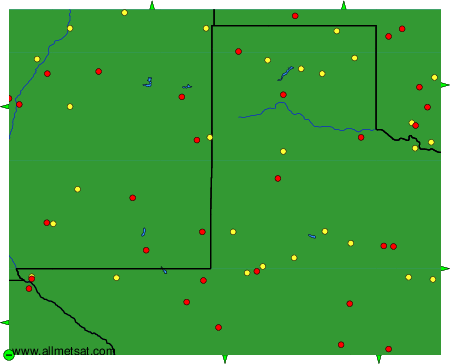
To change the map : click on the green buttons with a black cross to zoom in, on the green button with a dash to zoom out, or on the green arrows for adjacent maps.